

SMS Consent & Messaging Disclosure
Last updated: March 2, 2026
Program Name
Cascade Technology Company SMS Notifications
What This Program Does
Cascade Technology Company operates an SMS-based estimate and invoice management platform for service businesses. Authenticated users (workers and business owners) can send and receive SMS messages for:
- Account authentication via one-time passcodes (OTP).
- Estimate confirmations and document delivery links.
- Invoice summaries and approval requests.
- Responses to business data queries (e.g., revenue, customer info, job status).
- Intake reminders when required job details are pending.
- Status updates on estimates and invoices.
All messages are transactional and operational. No marketing or promotional messages are sent.
Team Job Coordination Program
In addition to the estimate and invoice messaging above, Cascade Technology Company sends operational coordination texts on behalf of a subscribing business to that business’s own enrolled employees and field crew — workers invited and opted in during onboarding. These messages include logged action items and task assignments (with owner and due date), schedule and inspection reminders, project decision and status updates, work order and job details, and answers to operational questions. Full details are on our Messaging Programs page.
The consent disclosure for this program reads:
Sample team job coordination messages:
How Users Opt In
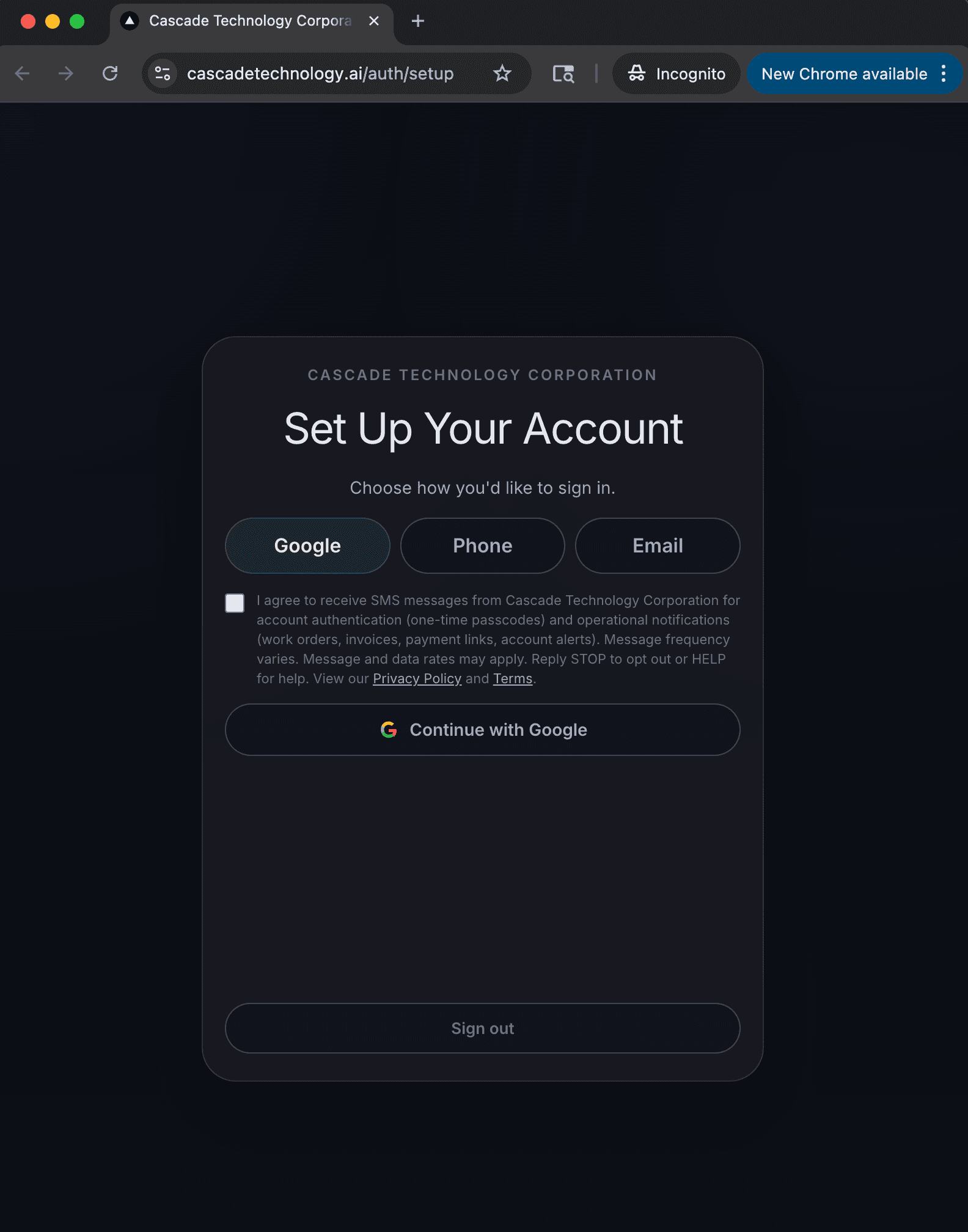
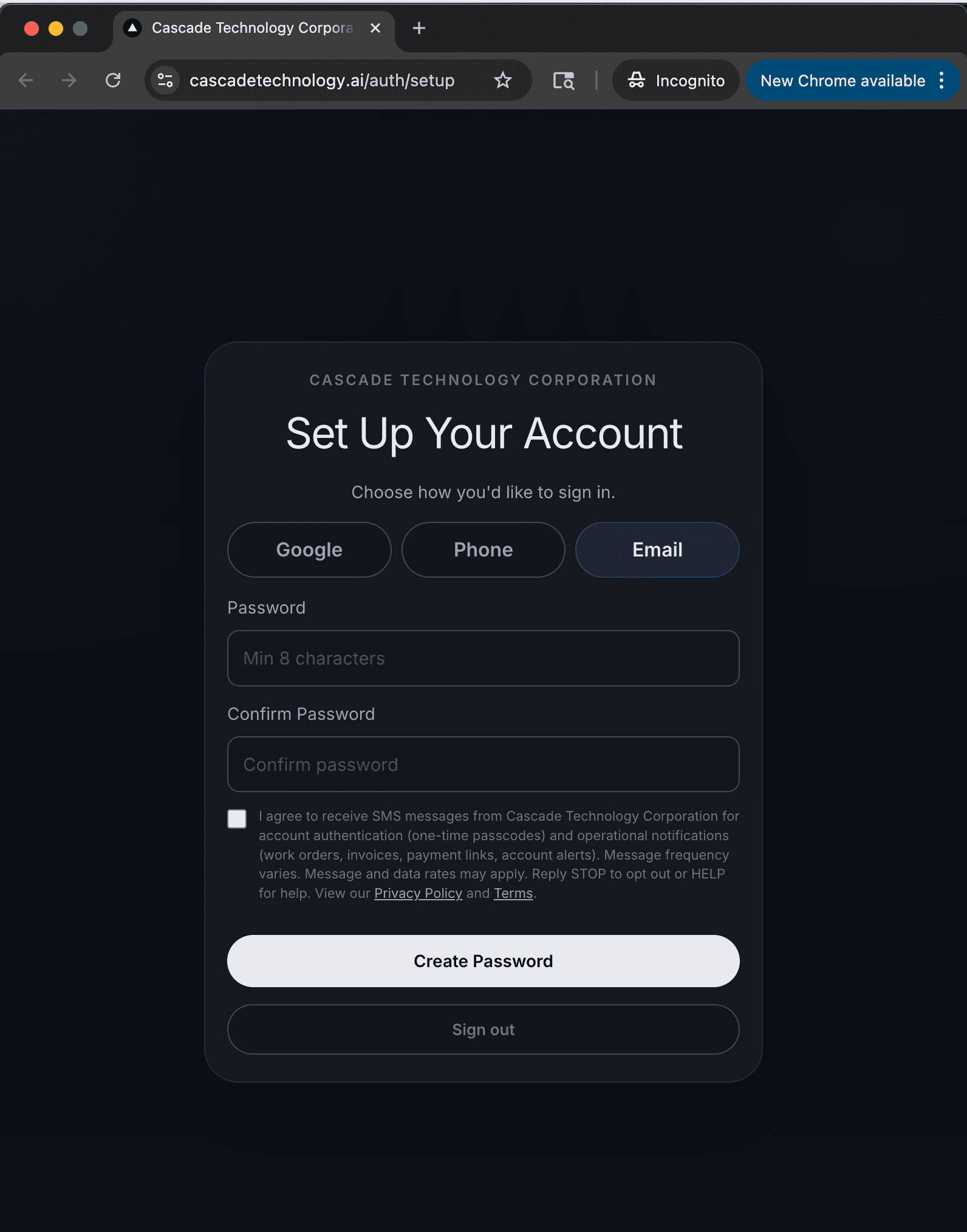
Users are invited to the platform by a business administrator. After signing in via a secure magic link, users are directed to the account setup page where they choose their preferred sign-in method (Google, Phone, or Email).
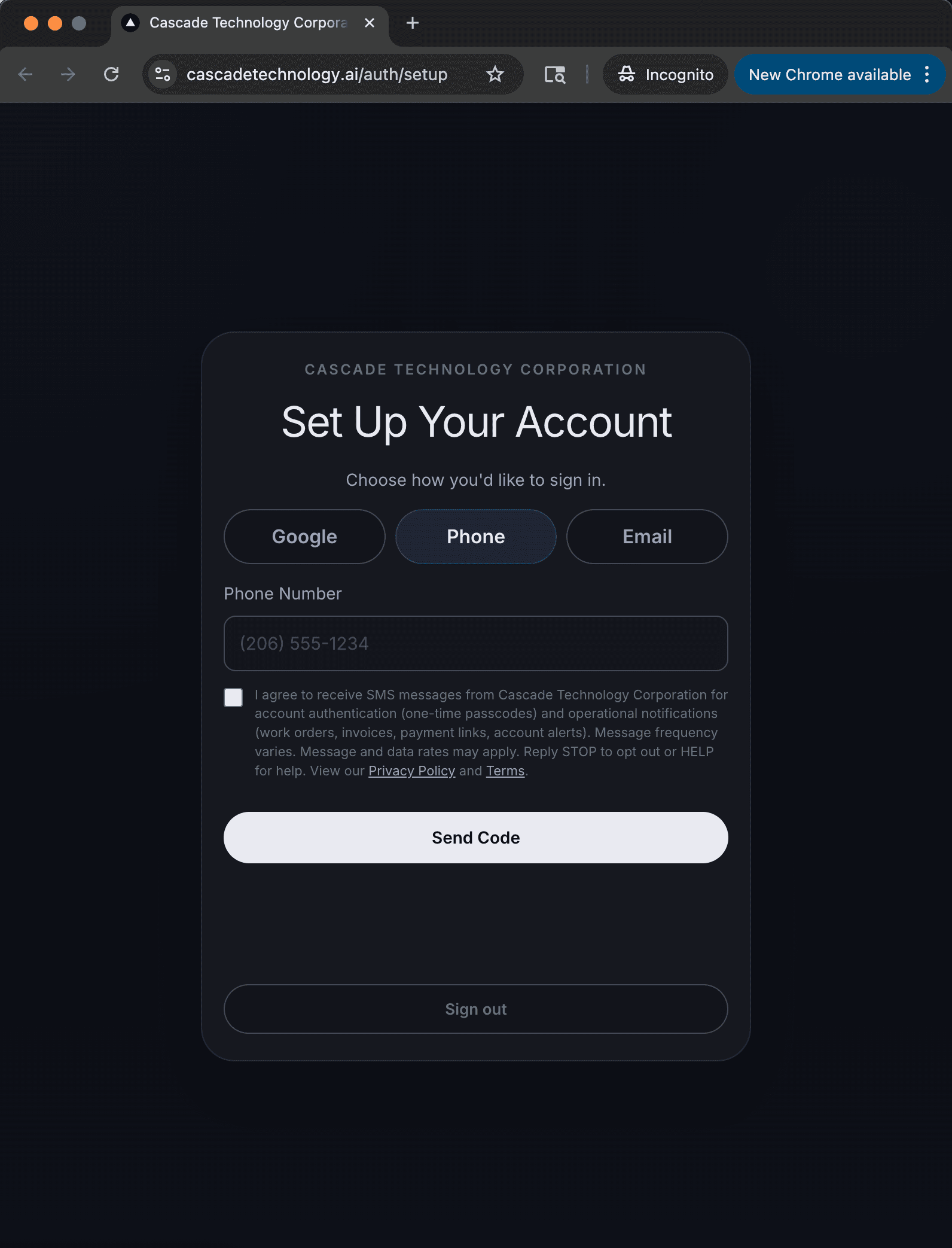
On every tab, the full SMS consent disclosure is displayed directly adjacent to the action that enables SMS — immediately below the phone number field on the Phone tab, and immediately above the submit button on Google and Email tabs. The checkbox is unchecked by default and must be checked before the user can proceed. The user cannot submit the form or continue without explicitly consenting. The disclosure reads:
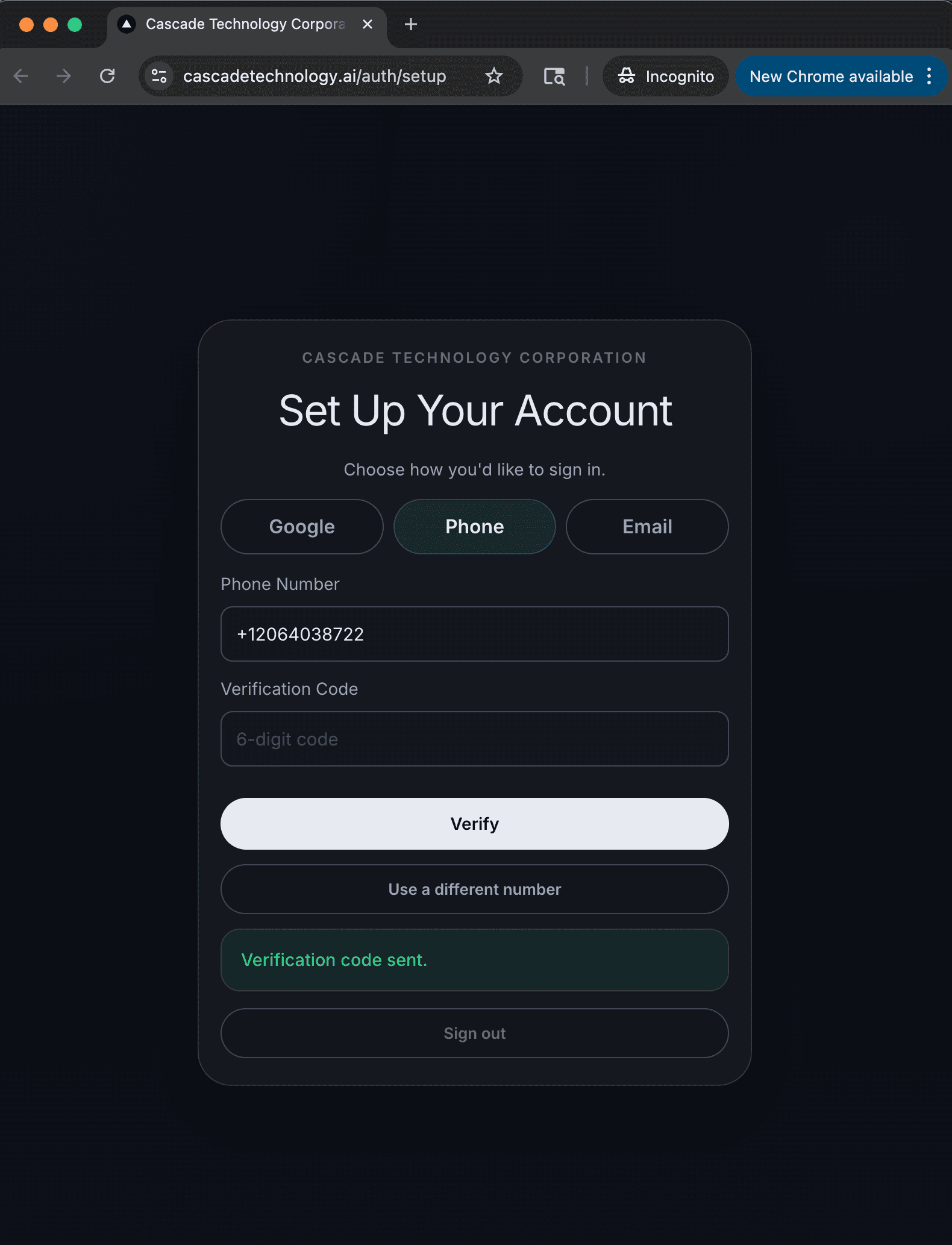
For users who select the Phone sign-in method, the consent checkbox appears directly under the phone number input field, and the flow includes additional OTP verification:
- Enter phone number: The user enters their US mobile phone number (or it is pre-filled if the administrator provided it during onboarding). The consent checkbox is displayed directly below this field.
- Check consent box and send code: The user must check the SMS consent checkbox. A one-time verification code is sent via SMS to confirm ownership of the number.
- Verify: The user enters the verification code. Only after successful verification does the system begin sending operational SMS messages.
Screenshots of the Opt-In Flow
The opt-in flow is behind authentication. Screenshots of each step are shown below. Note the SMS consent checkbox is visible directly adjacent to the action on every tab:
Message Frequency
Message frequency varies based on account activity. Workers who submit job details via SMS receive automated replies for each submission. Business owners receive approval requests and status notifications as estimates and invoices are processed. Typical usage ranges from 1 to 50 messages per day depending on activity level.
Message and Data Rates
Message and data rates may apply. Contact your wireless carrier for details about your messaging plan and any applicable fees.
Opt-Out
Users can opt out of SMS messages at any time by replying STOP to any message received from Cascade Technology Company. A single confirmation message will be sent acknowledging the opt-out, and no further SMS messages will be sent. Users may re-opt-in by texting START or by re-verifying their phone number through account settings.
Help
For assistance with SMS messaging, reply HELP to any message. You may also contact us at info@cascadetechnology.ai.
SMS Consent Sharing
Mobile information will not be shared with third parties/affiliates for marketing/promotional purposes. All other categories exclude text messaging originator opt-in data and consent; this information will not be shared with any third parties.
Sample Messages
Examples of messages users may receive:
Policies
Privacy Policy | Terms and Conditions
Contact
Rainier Works LLC (d/b/a Cascade Technology)
Email: info@cascadetechnology.ai
Website: cascadetechnology.ai